

If you are searching for best practices for securing employee use of ChatGPT in a corporate environment, you have moved beyond curiosity and into planning. Your executive sponsors want reliable productivity gains in meetings, chat, knowledge work and hand-offs. Your security, privacy and legal leaders want risk contained, sensitive data protected, and controls that are easy to evidence for audit. This guide shows how to enable ChatGPT safely while steering sensitive and collaborative work into CoSpaceGPT, Cloudsine’s secure GenAI workspace for teams. It also explains where GenAI Protector Plus fits for your own GenAI applications and APIs, and how WebOrion® Monitor helps watch public web content for defacement and unintended changes.
The Short And Practical Answer
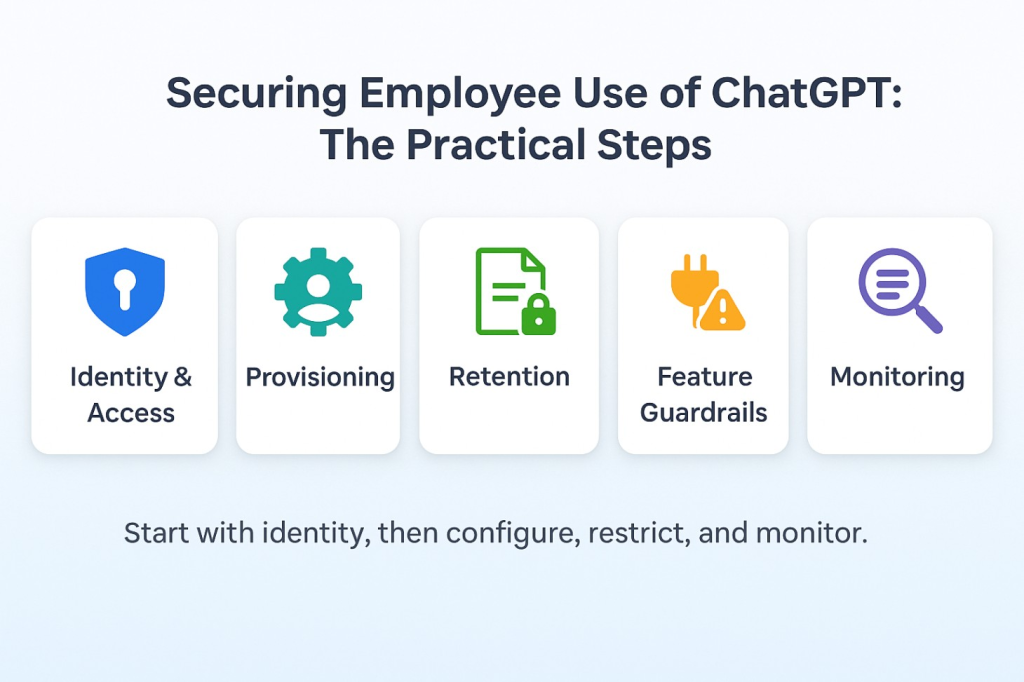
Configure identity and retention on your ChatGPT tenant first. For confidential or collaborative work, default to CoSpaceGPT so model choice, access, retention and audit are governed in one place. Use GenAI Protector Plus on the application paths you control, because it operates in API monitoring or forwarding modes for LLM traffic that you proxy. For brand trust, use website integrity monitoring to catch unintended public-site changes quickly. Run a quarterly governance rhythm so improvements are evidence-based rather than ad hoc.
What Does “Securing Employee Use Of ChatGPT In A Corporate Environment” Actually Mean In 2025
Definition and scope that your auditors will accept
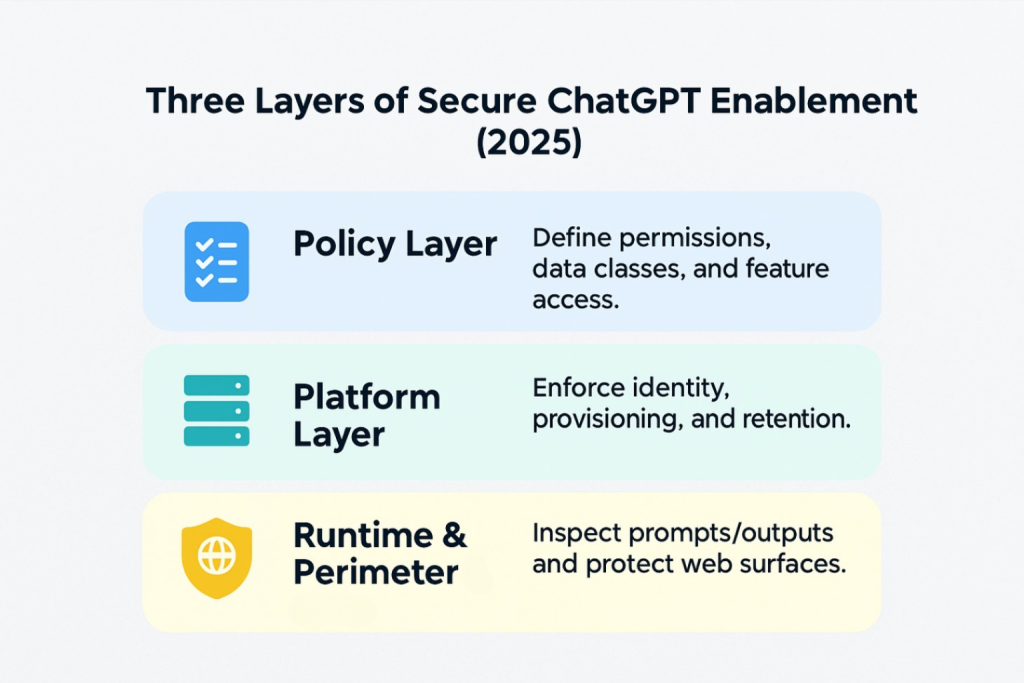
It is the combination of policy, platform configuration and runtime controls that makes safe behaviour the default. For ChatGPT, you set SSO, provisioning and retention. For sensitive collaboration, you place work in CoSpaceGPT so prompts, outputs, sharing and retention follow enterprise guardrails with full audit trails.
Why Security By Design Must Come Before Scale
As adoption grows, prompt patterns diversify and the retrieved context increases. Guidance alone will not keep up. Put guardrails where people actually work together. That is the rationale for CoSpaceGPT: a model-agnostic workspace for teams with custom enterprise guardrails, comprehensive audit logs, and a private or on-premise deployment option for tighter control where required. Cloudsine’s safe-enablement guidance reinforces this approach for staff usage of GenAI tools.
LLM Security Checklist: The Baseline To Configure Before Go-Live
Identity and access first: SSO, MFA and least-privilege roles
Enable SSO via your identity provider, enforce MFA, block personal email sign-ins and map groups to least-privilege roles. Keep one break-glass admin with a documented process. Save SSO screenshots, the group-to-role map, the admin roster and a short change log for audit.
Provisioning and lifecycle: SCIM automation and recertification
Use SCIM or IdP automation for joiners, movers and leavers. Test deprovisioning explicitly to confirm tokens, history and shared links behave as intended. Run quarterly access recertification for higher-risk groups such as Legal, Finance, and R&D. Keep SCIM job logs, two recent deprovision tests and the latest attestation.
Retention and data controls: set policy, prove settings, log outcomes
Choose a tenant retention window, name an owner and document the rationale. Confirm where chats and file attachments are stored, who can export them and how exports are reviewed. Record your stance on training with customer data and any regional exceptions. Keep a retention screenshot, an export policy note and an exception register.
Feature and connector guardrails: restrict risk and scope models
Where controls exist, disable or limit higher-risk features such as external plugins, broad link sharing or unmanaged connectors. Where supported, the scope which models each role or data class may use. Publish a one-page allowed-versus-restricted guide and file a role-by-role feature matrix approved by Security and Legal.
Logging and monitoring: send audit to SIEM and review weekly
Enable audit logs and forward them to your SIEM. Define a small set of weekly queries, for example, new admins, large exports and unusual activity spikes. Keep a short incident runbook and a clear contact path to Security and Legal. Save sample log extracts, saved queries and the runbook link.
Change control and training: clear RACI and a 10-minute onboarding
Write a simple RACI for who may edit tenant settings and who signs off. Provide a brief onboarding that covers do and do not behaviours, retention expectations and how to request exceptions. Store the latest policy PDF, training slides and an attendance list.
Route sensitive and collaborative work to CoSpaceGPT: governed by default
Make CoSpaceGPT the default for projects involving confidential materials or multi-team collaboration so model choice, access, retention and audit are governed in one place. Create project templates by function (Product, Marketing, Support, Legal) with pre-set guardrails and retention. Keep template screenshots and sample audit-log excerpts showing blocks or redactions.
Pilot sign-off: baselines, gates and rollback
Baseline three KPIs such as time from meeting to published minutes, time to first draft and action follow-through. Define pass and fail gates and a rollback plan for settings that do not meet expectations. Keep the baseline sheet, 30/60/90-day reports and a short decision memo.
Rule of thumb: low-risk in ChatGPT, sensitive work in CoSpaceGPT
Routine, low-risk queries can stay in ChatGPT. Anything sensitive or collaborative belongs in CoSpaceGPT so it benefits from shared projects, governed sharing, guardrails and auditability.
CoSpaceGPT: The Governed Default For Team Collaboration
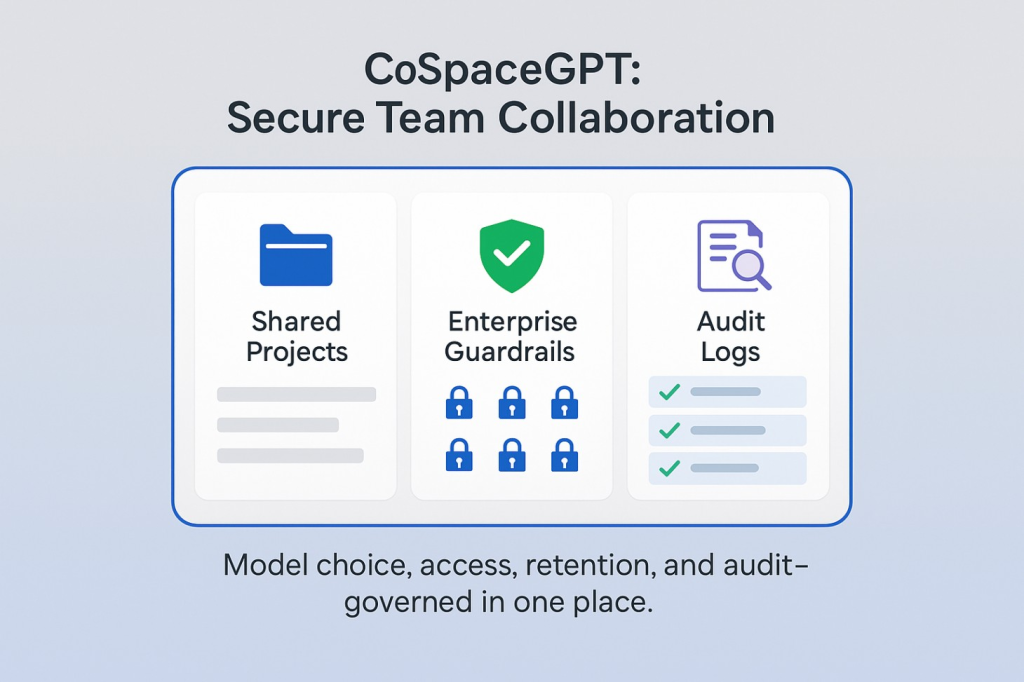
What it is: A secure, collaborative workspace that lets teams work with multiple leading models in one place, organise work as shared projects, and apply enterprise controls consistently.
Why does it help security and compliance?
- Model-agnostic with enterprise guardrails: define intent and content rules that reflect your policies.
- No training on your data for workspace content: protect confidentiality while you collaborate.
- Comprehensive audit logs: view activities and protected items for investigation and compliance.
- Private AI option: run CoSpaceGPT in your own environment where required.
Operational guidance. Publish a one-page “when to use ChatGPT vs CoSpaceGPT” note with examples your teams recognise. For example, public research and low-risk drafting stay in ChatGPT. Pre-release materials, customer data, incident drafts and board packs go to CoSpaceGPT. Cloudsine’s employee-enablement article supports this steering approach.
Step-By-Step Programme: A 90 Day Rollout To Secure Employee Use Of ChatGPT
Days 0 – 15: Policy and baselines
Publish a one-page acceptable-use note for AI tools. Baseline time to first draft, meeting-to-minutes time and action follow-through. Align your risk language to the NIST AI RMF and OWASP’s LLM Top 10 so stakeholders share the same frame.
Days 10 – 30: Set controls and pilot CoSpaceGPT
Enable SSO, define roles and retention, then move two sensitive workflows into CoSpaceGPT. Capture audit-log samples and redaction hits for evidence. Use Cloudsine’s enablement guidance for quick training.
Days 30 – 60: Expand teams and measure
Add adjacent teams. Track reclaimed hours, adoption by role, blocked or masked items, and incident-free weeks. Adjust guardrails based on evidence.
Days 60 – 90: Standardise and review
Publish internal assistants and project templates. Schedule a quarterly review to update guardrails and retention. For public-facing sites, onboard WebOrion® Monitor to catch defacement or unwanted HTML changes early.
Common Mistakes When Securing Staff Use Of ChatGPT and How To Fix Them Quickly
Relying on native safeguards alone
Model and suite defaults are helpful, but they are not tuned to your policy, your data classes, or your audit needs. Teams drift into mixed behaviours, and you cannot prove what was screened or shared.
Fix: Make CoSpaceGPT the default for sensitive or collaborative work so prompts, outputs, sharing and retention follow enterprise guardrails with full audit trails. Publish simple decision rules (what stays in ChatGPT vs what must start in CoSpaceGPT), and review adherence monthly with Security and Legal.
Running unstructured pilots
Ad-hoc trials create inconsistent habits and leave gaps when auditors ask for evidence. Success becomes a vibe rather than a measurable outcome.
Fix: use a one-page policy, a small cohort and two well-defined workflows. Baseline three KPIs (for example, time to first draft, meeting-to-minutes time, and action follow-through). Review weekly against NIST AI RMF cadence, record exceptions, and set pass or fail gates with a rollback plan.
Having no visibility of employee use
If you cannot see who used what, when, and under which rules, you cannot investigate incidents or show compliance.
Fix: rely on CoSpaceGPT’s auditability. Enable activity logging, keep short evidence packs with sample log excerpts and redaction events, and forward operational signals to your SIEM where appropriate. Agree on retention periods for logs and nominate an owner for quarterly reviews.
FAQs For Enterprise Buyers
What should we monitor after go-live to sustain value and safety?
Monitor adoption by role and team, blocked or masked items, configuration drift, and integrity alerts on public sites. Review quarterly and adjust guardrails accordingly.
Where CloudsineAI Fits
- CoSpaceGPT: secure team workspace with model choice, custom guardrails, auditability and private deployment options for enterprises. Make it the default for sensitive collaboration.
- GenAI Protector Plus: enterprise GenAI firewall for your proprietary GenAI apps
- WebOrion® Monitor: website integrity and defacement monitoring with near real-time alerts and AI-assisted triage to prioritise high-severity changes.
Conclusion
Securing employee use of ChatGPT is about putting safe defaults where collaboration happens. Configure your ChatGPT tenant, then make CoSpaceGPT the default workspace for sensitive and shared work so access, retention and audit are governed centrally. Use GenAI Protector Plus to protect the LLM calls and GenAI apps you build or proxy, and use WebOrion® Monitor to keep an eye on public web content. That combination aligns with Cloudsine’s portfolio and gives executives a clear, auditable story for scale.
If you require even more guardrails on the applications you control, GenAI Protector Plus can be added to your stack alongside CoSpaceGPT to enforce prompt and output policies on your routed LLM traffic in real time.