

We’ve been heads down building — and this month, we’re rolling out three updates designed to give you better visibility into your sites, more control as your monitoring grows and alerts that are easier to act on.
Here’s a look at what’s new.
HTTP Status Code Monitoring
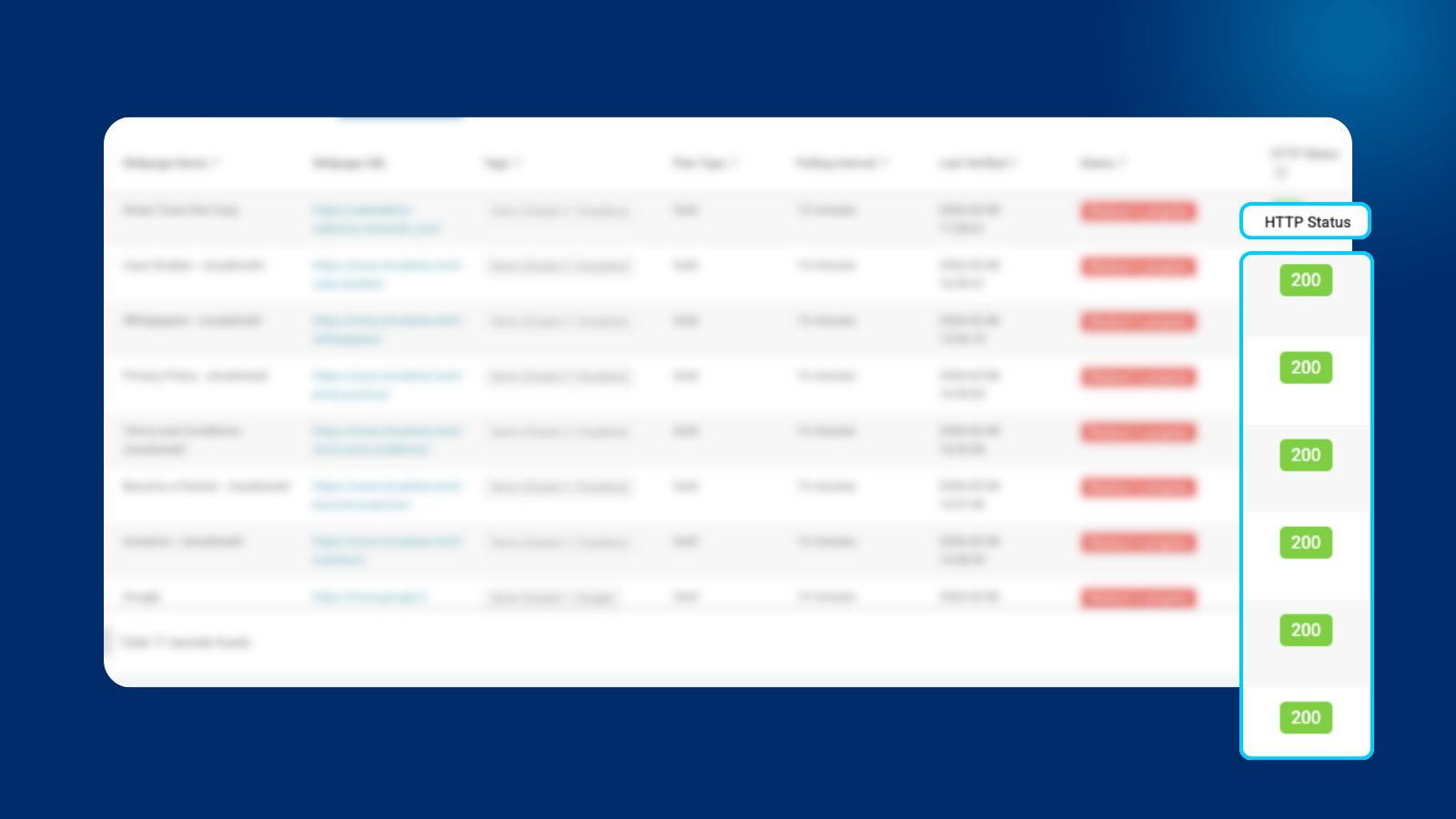
When a webpage does not respond, it could be due to various reasons, as given by HTTP status codes. These response codes will now be shown on our portal to give WebOrion® customers greater visibility for ease of troubleshooting and incident analysis
How it works:
HTTP status codes are now displayed directly in your WebOrion® Monitor dashboard for each tracked webpage.
Whether it’s a 200 confirming everything is healthy, a 404 flagging a missing page, or a 500 pointing to a server error, you’ll see that information right alongside your existing content change monitoring — no separate tools or manual checks needed.
Custom Tags: Stay Organised as Monitoring Scales
A flat list of URLs works fine when you’re tracking a handful of sites. But as your monitoring grows to dozens or hundreds of pages, finding what you need quickly becomes its own challenge. Without a way to group and filter, everything starts to look equally urgent and nothing gets the attention it deserves.
How it works:
Custom tags let you label your monitored webpages with any categories that make sense for your team — business unit, priority level, client, region, or anything else. Once tagged, you can filter your dashboard view to focus on exactly the pages you need, cutting through the noise and getting to what matters faster.
Understand SSL, DNS, and Whois Alerts at a Glance
An alert is only useful if you can act on it immediately. If you’ve ever had to read a notification twice to figure out what it’s telling you, that delay has a real cost.
How it works:
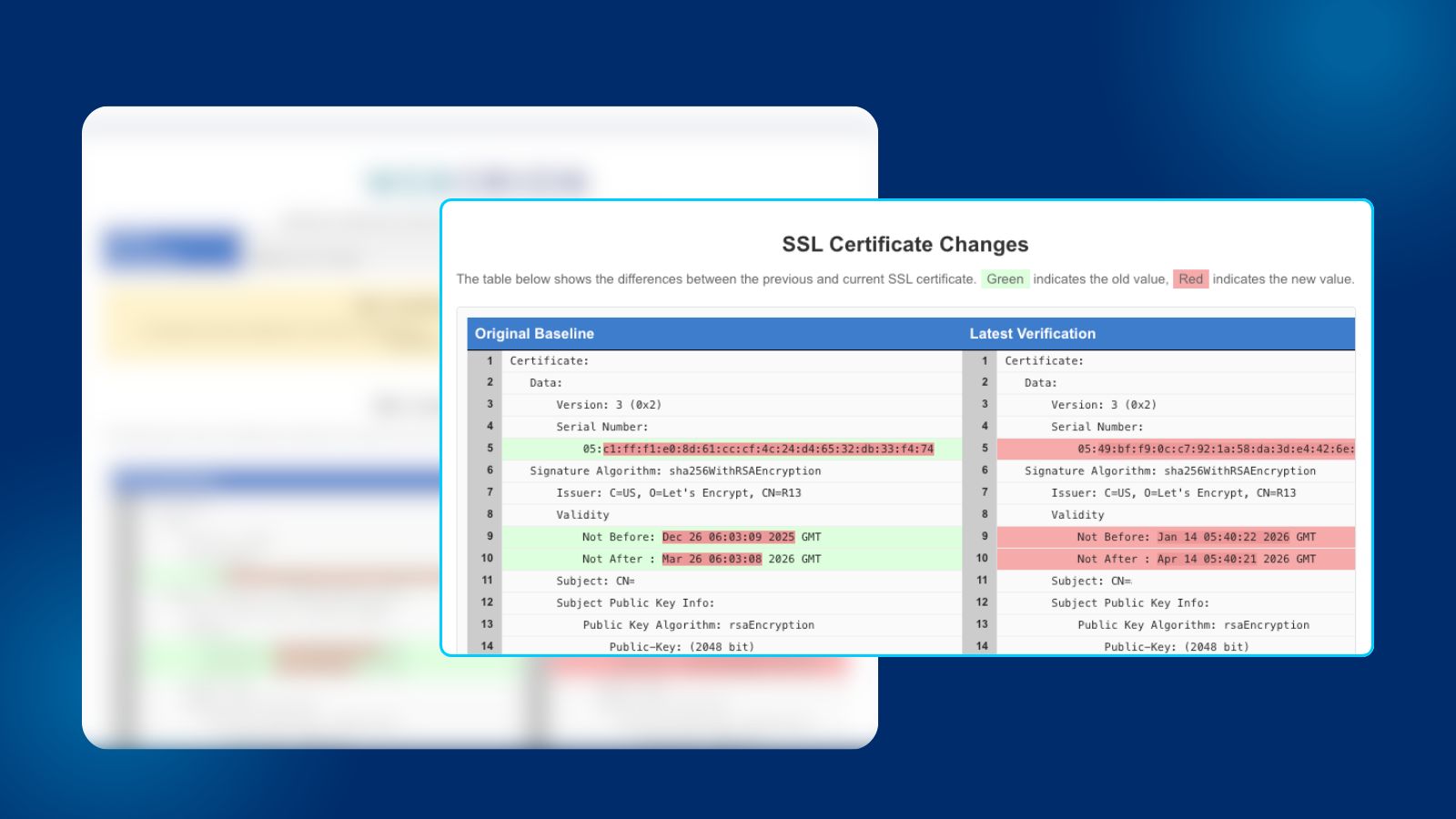
We’ve gone back through our SSL, DNS, and Whois email alerts and aligned them for consistency, tightened up the language, and made the key information easier to find at a glance. The alerts carry the same information as before, but they’re structured so you can get from notification to action as quickly as possible.
Available Now
All three updates are live in WebOrion® Monitor today. If you’re an existing user, check out these updates when you login.
If you’re exploring WebOrion® Monitor, these updates are part of our continued focus on making web security monitoring more actionable and less noisy.